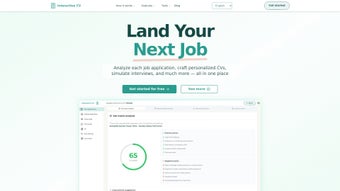

Download Interactive CV – AI‑powered job search assistant, resume optimizer, interview trainer
Finding the right job in today’s fast‑moving market can feel like searching for a needle in a haystack. Between polishing your résumé, keeping up with ever‑changing applicant‑tracking‑system (ATS) algorithms, and mastering interview techniques, the process quickly becomes overwhelming. Interactive CV is designed to eliminate that friction by bringing AI‑driven intelligence, real‑time analytics, and a suite of practical tools together in a single, secure web platform. Whether you’re a recent graduate eager to make your first impression, a seasoned professional looking to pivot, or a recruiter seeking to streamline candidate preparation, this tool promises to turn a chaotic job hunt into a structured, data‑backed journey.
Overview
In a landscape where recruiters sift through hundreds of applications in seconds, a generic résumé simply won’t cut it. Interactive CV leverages deep‑learning models trained on millions of successful applications to surface the exact keywords, formatting tweaks, and narrative adjustments that get past the toughest ATS filters. The platform’s dashboard acts as a personal career command center, aggregating live job postings from LinkedIn, Indeed, Glassdoor, and niche industry boards, then matching them against your skill profile with a precision score.
Every match is accompanied by a “Fit Index” that tells you exactly how closely you align with the employer’s requirements, and suggests targeted upskilling resources—ranging from free MOOCs to premium certification courses. Beyond résumé polishing, the tool includes an AI‑powered interview simulator that records your responses, analyses tone, pace, and content relevance, then provides a detailed report highlighting strengths and areas for improvement. The simulator even adapts its questions based on the role you’re applying for, ensuring that you practice the most relevant scenarios.
Security is baked in from day one: all documents are encrypted with AES‑256, and the platform complies with GDPR, CCPA, and ISO‑27001 standards. Continuous updates keep the AI models aligned with the latest hiring trends, making Interactive CV a future‑proof investment for anyone serious about advancing their career.
Key Features, Installation & Compatibility
Feature Highlights
- AI‑Based Application Review: Upload any résumé and receive a detailed scorecard that points out missing keywords, weak phrasing, and format issues.
- Job Compatibility Analyzer: The tool cross‑references your skills with specific job descriptions, highlighting where you excel and where additional training may be needed.
- Integrated Job Board Sync: Connect your LinkedIn or Indeed accounts to import job listings automatically, enabling one‑click applications.
- Interview Simulator: Practice common interview questions with an AI interviewer that evaluates tone, relevance, and confidence, then offers actionable feedback.
- Personalized Learning Paths: Based on the compatibility analysis, the platform recommends free or paid courses to bridge skill gaps.
- Real‑Time Analytics Dashboard: Track the status of each application, view response rates, and monitor improvement over time.
- Secure Cloud Storage: All documents are encrypted at rest and in transit, ensuring your personal data stays private.
- Accessibility & Multilingual Support: WCAG 2.1 AA compliance and language options for English, Spanish, French, and German broaden the user base.
- Custom Branding for Recruiters: Companies can white‑label the platform for internal talent development programs.
Installation & Usage Instructions
Because Interactive CV is a fully web‑based solution, there is no bulky installer to download. The entire experience runs inside modern browsers, which means you can start instantly from any device—desktop, tablet, or smartphone. Follow these three steps to get up and running:
- Create Your Account: Visit interactivecv.com, click “Sign Up,” and choose a secure password. You can also register using your Google, Microsoft, or Apple ID for single‑sign‑on convenience.
- Upload Your Existing Résumé: After logging in, navigate to the “My CV” tab and drag‑and‑drop your current PDF or Word file. The AI engine scans the document within seconds, generating a visual heat‑map that highlights strong sections in green and weak areas in red.
- Connect Your Job Boards: Go to “Integrations,” select LinkedIn, Indeed, or any other supported platform, and authorize the connection. Once linked, the dashboard automatically pulls the latest postings that match your profile, and you can apply with a single click.
From there, you can refine each résumé version, set up interview practice sessions, and explore the learning path recommendations. The responsive UI adapts to different screen sizes, ensuring you never lose functionality whether you’re working from a coffee shop laptop or a mobile phone on the commute.
Compatibility
Interactive CV runs entirely in the browser, making it compatible with any modern operating system that supports up‑to‑date versions of Chrome, Firefox, Edge, or Safari. This includes Windows 10/11, macOS Monterey and later, popular Linux distributions, Android 8+ devices, and iOS 13+ smartphones and tablets. No additional plugins, Java, or Flash are required, and the service meets WCAG 2.1 AA accessibility standards, providing keyboard navigation, screen‑reader support, and high‑contrast themes for users with visual impairments.
Pros, Cons, and Frequently Asked Questions
Pros
- AI feedback is data‑driven and aligns with current ATS (Applicant Tracking System) algorithms.
- One‑click application to multiple job boards saves time.
- Interview simulator offers realistic practice with instant, actionable critiques.
- Free tier includes core features; premium plan adds unlimited job sync and advanced analytics.
- Secure cloud storage ensures your personal data stays private and compliant with GDPR.
- Multi‑language support expands usability for non‑English speakers.
- Accessibility‑first design meets WCAG 2.1 AA standards.
Cons
- Full feature set (unlimited applications, advanced analytics) requires a paid subscription.
- AI suggestions may occasionally misinterpret niche industry jargon.
- Internet connection is required for real‑time analysis; offline use is not supported.
- Learning‑path recommendations sometimes favor partner courses, which may not suit every user’s budget.
- Initial onboarding can feel overwhelming due to the breadth of available tools.
FAQ
Is Interactive CV really free to use?
Interactive CV offers a robust free tier that includes AI résumé review, basic job compatibility analysis, and limited job board integration. Premium features such as unlimited applications, detailed interview analytics, and personalized learning pathways are available through a monthly subscription.
Can I import my existing LinkedIn profile?
Yes. By connecting your LinkedIn account in the Integrations tab, Interactive CV can import your profile information, work history, and skills, automatically populating a draft résumé that you can then refine using the AI tools.
How secure is my personal data on the platform?
All data is encrypted both at rest (AES‑256) and in transit (TLS 1.3). Interactive CV complies with GDPR, CCPA, and ISO 27001 standards, and you can delete your account and all associated data at any time from the settings menu.
Does the interview simulator work for technical interviews?
The simulator includes a library of behavioral and situational questions, plus a growing set of technical prompts for fields such as software development, data analysis, and engineering. You can also upload your own custom questions for a tailored practice session.
What browsers are supported?
Interactive CV works with the latest versions of Chrome, Firefox, Edge, and Safari. Mobile browsers on Android and iOS are also fully supported, ensuring a consistent experience across devices.
Can I use Interactive CV on a Mac without installing any software?
Absolutely. Because the application is browser‑based, macOS users simply need a modern browser (Chrome, Safari, Firefox, or Edge) and an internet connection. No downloads or additional installations are required.
Interactive CV delivers a compelling blend of AI résumé optimization, job matching, and interview practice. The free tier is generous enough for occasional job seekers, while power users will appreciate the deep analytics available in the premium plan. Minor drawbacks, such as occasional misinterpretation of niche terminology, are outweighed by the overall value and time savings the platform provides.
Final Verdict – Should You Download Interactive CV?
If you’re serious about accelerating your job search, Interactive CV stands out as one of the most comprehensive, data‑driven tools available today. It consolidates résumé editing, job board integration, skill‑gap analysis, and interview rehearsal into a single, secure web app. The AI engine is tuned to the latest ATS criteria, meaning the feedback you receive is not generic advice but actionable, data‑backed recommendations that can dramatically improve your visibility to recruiters.
While the premium subscription unlocks the full suite of features—including unlimited job sync, advanced analytics, and custom branding—the free version already offers enough functionality to justify a trial. For professionals juggling multiple applications, the one‑click job sync saves countless hours, and the interview simulator builds the confidence that often makes the difference in a competitive interview setting. In short, downloading Interactive CV is a low‑risk, high‑reward decision that can transform a daunting job hunt into a structured, measurable, and ultimately successful journey.
Start Your Free Account Today – Optimize your résumé, land more interviews, and close the skill gaps that stand between you and your next career move.



.png)



